Streamline Your Wedding Designs with Essential Outline Icons
In the world of wedding stationery and digital branding, consistency is everything. When you are building a cohesive brand identity for a client or designing your own wedding materials, having a reliable set of visual assets saves time and headaches. This is where the 10 Wedding Outline Icons Bundle steps in. It is not just a collection of random drawings; it is a curated toolkit designed to handle the specific visual language of a wedding day. From the moment a guest opens the invitation to the second they click through a wedding website, these icons provide a clean, recognizable shorthand for the celebration.
The Visual Language of Celebration
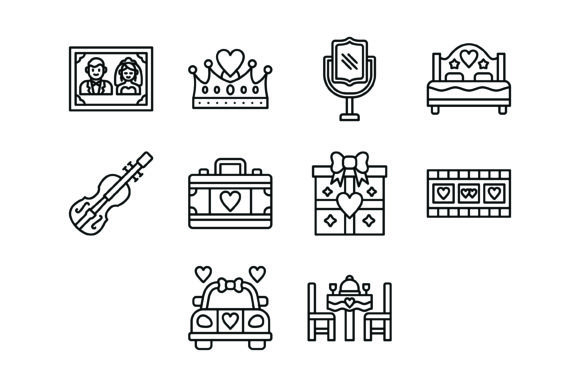
The strength of this specific bundle lies in its restraint. Unlike heavy, filled graphics that can dominate a layout, the outline style offers a lightness that feels modern and elegant. You get ten distinct symbols: the Wedding Photos Icon, the Crown Icon, the Mirror Icon, the Double Bed Icon, the Violin Icon, the Suitcase Icon, the Gift Box Icon, the Wedding Video Icon, the Wedding Car Icon, and the Wedding Dinner Icon.
Each line is drawn with maximum usability in mind. This means the icons avoid overly complex details that get lost when scaled down on a mobile screen or printed on a small favor tag. They are 100% vector icons, which is the industry standard for professional design assets. Whether you are working on web design or high-resolution print, the lines remain crisp. The visual personality is sophisticated and versatile, allowing it to blend seamlessly with serif fonts for a classic look or sans serif fonts for a contemporary minimalist vibe.
Practical Applications for Designers and Planners
When you are deep in the trenches of editorial design or packaging design, efficiency matters. Imagine you are creating a "Day of" timeline for the wedding party. Instead of using text-heavy bullet points, you can use the Violin Icon next to the ceremony time and the Wedding Dinner Icon for the reception. It immediately improves readability and visual hierarchy without overwhelming the guest with text.
For small business owners running a wedding planning agency, these icons are invaluable for social media graphics. You can create a series of Instagram stories highlighting the "Vendor Spotlight" using the Wedding Photos Icon for the photographer and the Wedding Car Icon for the transport company. Because the files come in AI, EPS, JPG, PNG, and SVG formats, you can easily drag and drop the transparent PNGs into your design software or edit the vectors in Illustrator to match a specific creative font or color palette.
Integrating Icons with Typography
A common mistake in logo design and layout work is treating icons and text as separate entities. However, when used correctly, icons enhance the typeface you have chosen. If you are using a flowing script font or a handwritten font for the couple's names, the structured nature of these outline icons provides a grounding visual anchor. The clean lines of the icons prevent the design from looking too chaotic when paired with decorative typography.
Consider the Mirror Icon. In a bridal shower invitation, this could serve as a decorative element that breaks up long paragraphs of information. It helps guide the eye, creating a natural flow from the heading to the body copy. This is a practical application of modern typography principles where white space and visual cues work together to improve the reader's experience.
Technical Versatility for Multi-Platform Use
The inclusion of five different formats in the zip file is a significant advantage for content creators and marketers. We live in a multi-device world. A design might start on a desktop for print but needs to be viewed on a mobile app later. The SVG format ensures that the Wedding Outline Icons Bundle scales perfectly on any screen size without pixelation. This is crucial for mobile apps and responsive websites where clarity is non-negotiable.
For those involved in presentation design—perhaps pitching a concept to a couple or a venue—having a set of ready-to-use icons adds a layer of professionalism. It shows that you have thought about the details. Using the Suitcase Icon for a destination wedding section or the Gift Box Icon for registry details streamlines the information architecture of your slides.
Evaluating Fit and Finalizing Your Project
Choosing the right design assets is about more than just aesthetics; it is about context. Before you finalize your layout, test how these icons interact with your chosen premium font. Do the line weights match? If your display font is very bold and heavy, a thin outline icon might look lost. In that case, you might need to scale the icon up slightly or use it as a background watermark element.
Remember that these assets are ready for commercial use, making them a safe choice for client work. Whether you are a crafter making physical goods or a publisher designing a digital magazine, the 10 Wedding Outline Icons Bundle offers a practical, stylish solution to common visual communication problems in the wedding niche.